Sales App
for Umety solution to streamline finance in one place
Mobile First Design & admin dashboards • 2023
Role
UI/UX Designer
Timeline
3 months with development
Team
Me 😎, Deepesh Sharma (Design lead), Darakshan Anjum and Prashant Singh Senghar (PM)
What This Project is About
Imagine drowning in a sea of spreadsheets, everyday after office timing, manually adding each entry creating a record of it, adding financial transaction etc and In this chaos adding one extra process to manage the card inventory.
That was the reality for our sales team, who spent countless hours manually recording sales, transferring data to Excel, and reconciling payments. It was a time-consuming, error-prone process that left everyone frustrated.
Results
✅60% faster than managing excel-sheets, improved inventory management, and reduced error rates
✅Reduced time to manage the process from 1.5 week to 1 day.
✅Smooth sales process by 5x with help of task automation.
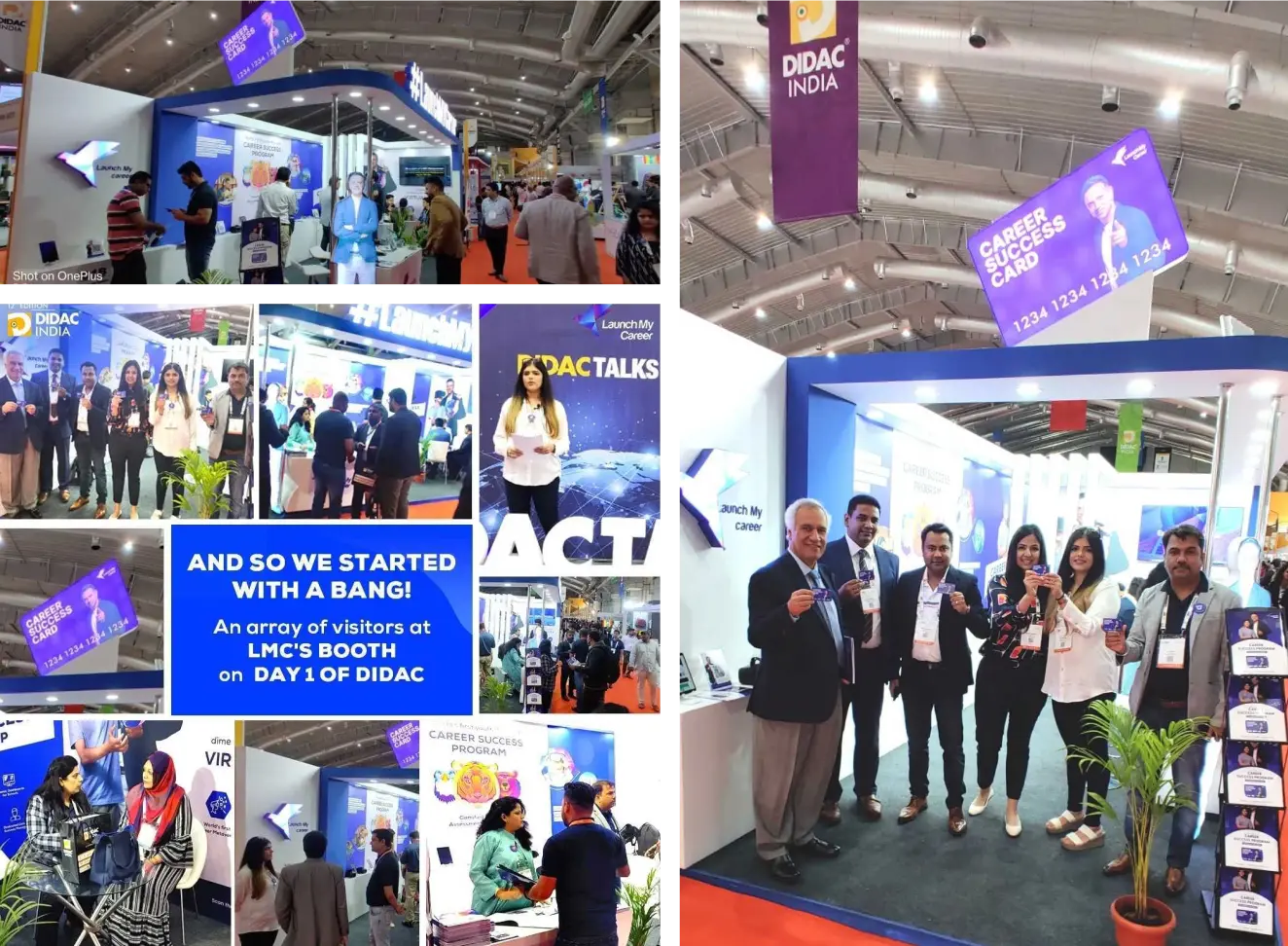
✅A successful DIDAC event with 70+ new schools onboarded.
My Role in Project
As the UI/UX Designer, my responsibility was to find the opportunity for new feature (Career Success Card) to our current system architecture while introducing automation process in our system.
The Beginning
We were approached by the Management team, asking us to simply introduce our new offering (Career Success Card) on our system. And to understand it more deeply, our team of designers with brilliant Prashant Singh Senghar (PM) set up a meeting with responsible stakeholders, to understand their goals better, Where I found out that we was doing everything manually.
I saw an opportunity to streamline the entire sales process while incorporating their new idea: Career Success Cards and suggested them why can't we simply introduce a sales app also to keep everything sync in one place from new sales to financial transactions.
After minutes of arguing and discussion we agreed to execute this. So we set out to implement a MVP app flow to manage everything which we can introduce to management team without breaking their existing work process.
The Quest Begins
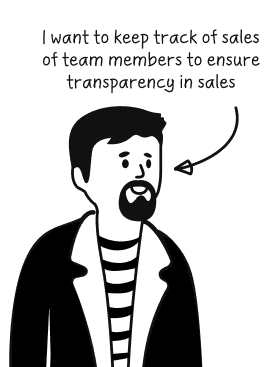
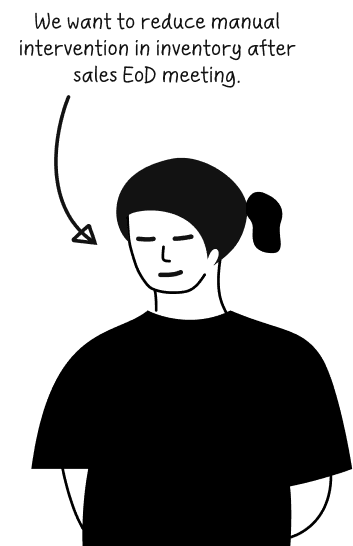
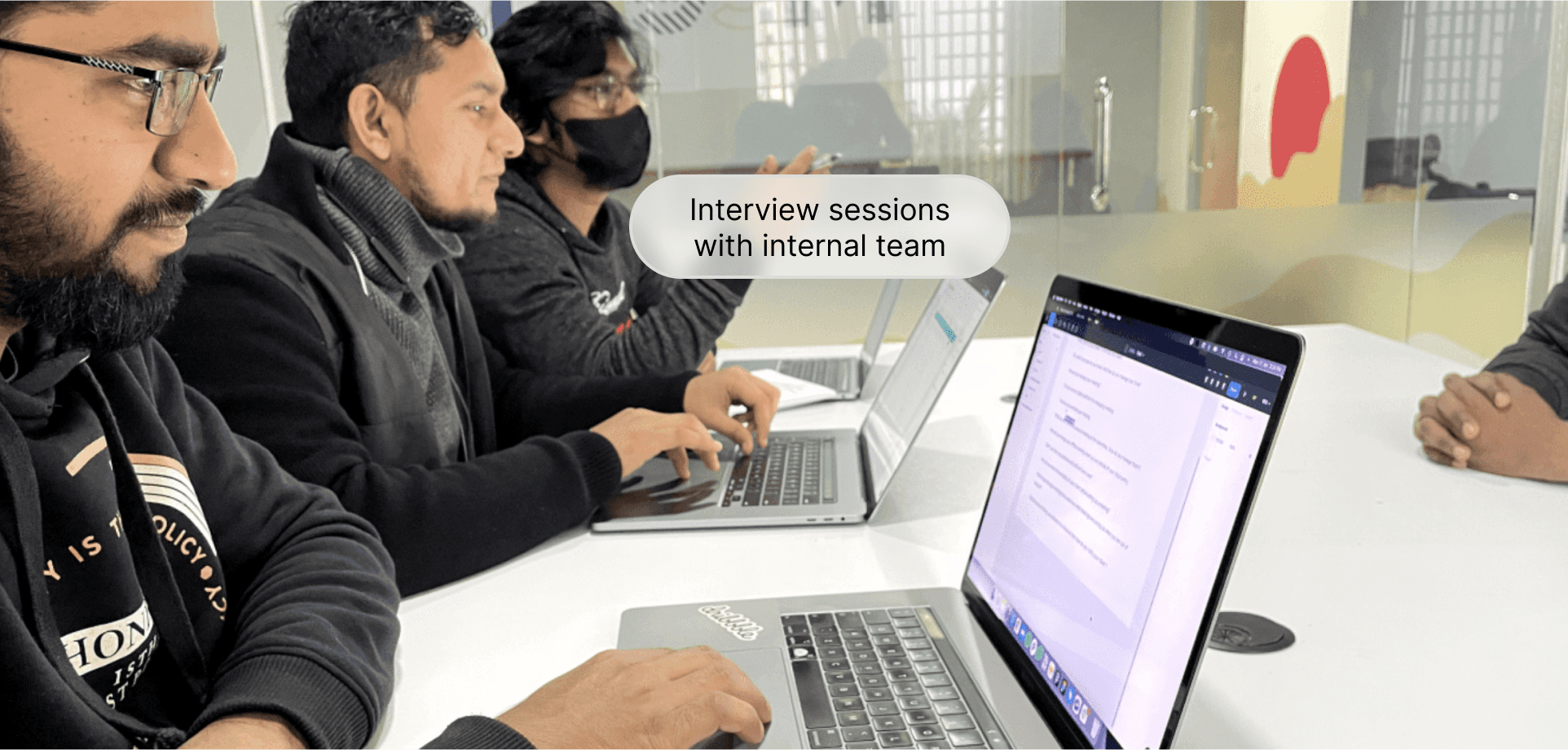
We started by understanding the needs of different stakeholders/user who was currently engaged with our current system. Majorly we have 4 types of users which are more impacted Sales team, Inventory/Operations team, Finance team and Tech team.
Each with different goals and tasks to do. So we started with the internal interviews also looped tech team head to understand the technical feasibilities, and we have found following pain points
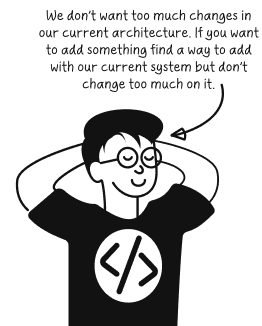
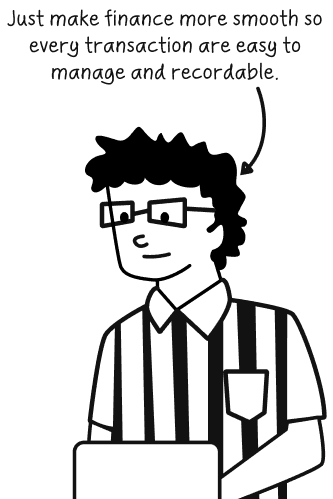
Armed with their insights “Ab to sainik taiyar the yudh me jane ko“.
We mapped out a plan to tackle the challenge with the help of our PM.
Looking for Elephant in the Room
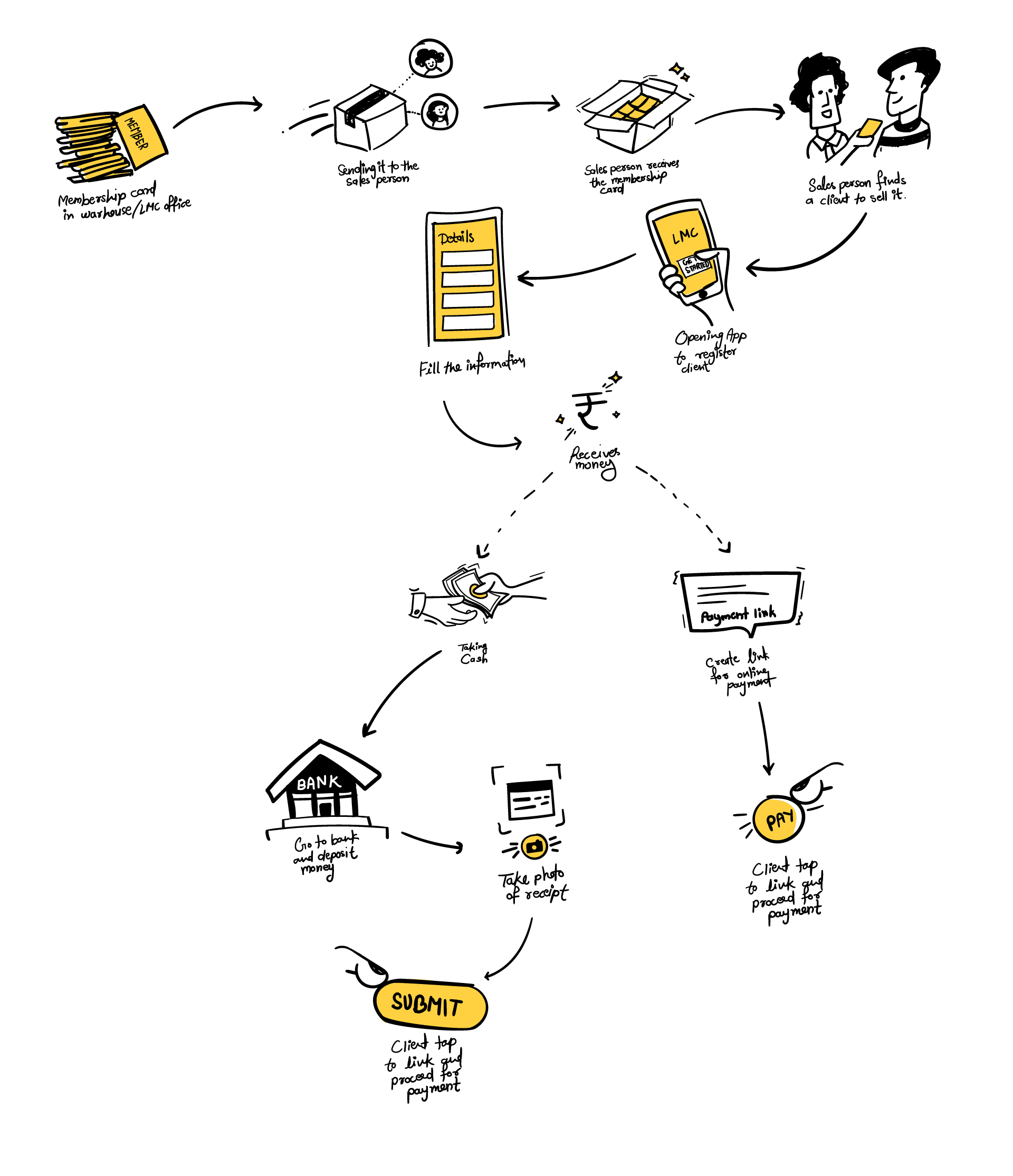
As we offering our new Career Success Cards, so before jumping into anything I started how the journey for the same will looks like. And getting feedback from the respective team representative. Before starting the sprint
Defining the Challenge
With stakeholders having different visions, aligning our goals and find a mid-way was our first challenge. Our Dumbledore (Prashant Singh Senghar) took a initiative to prepare a 3-months design sprint. Our journey begins with a thorough discussion on the per months objectives. We aimed to address two major overreaching questions.

Tech limitations
How might we add our new offering in current system without changing to much of current architecture

Syncing system
How can we keep everything in one place so easy to record and track everything.

Keeping things on track
Make sure that, things delivers on time, WHY? because ye sbse bda task tha LOL!
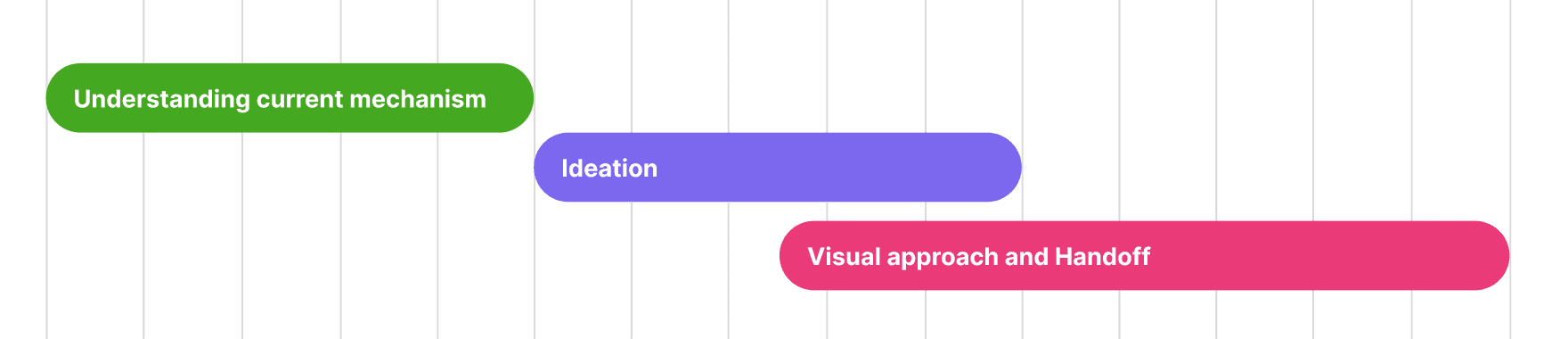
With our goal insight we planned the design sprint and that is how is 3-weeks design sprint was look like in Click up board (rest was part on developing and checking things before final release).
Week 1 - Unraveling the Chaos
We dove deep into our current system architecture, identifying bottlenecks and areas for improvement. We analyzed the sales workflow, mapped out the data flow, and understand how our system API works ( Even it goes out of brain boundaries sometimes ).
Week 2 - Iterating towards Nirvana
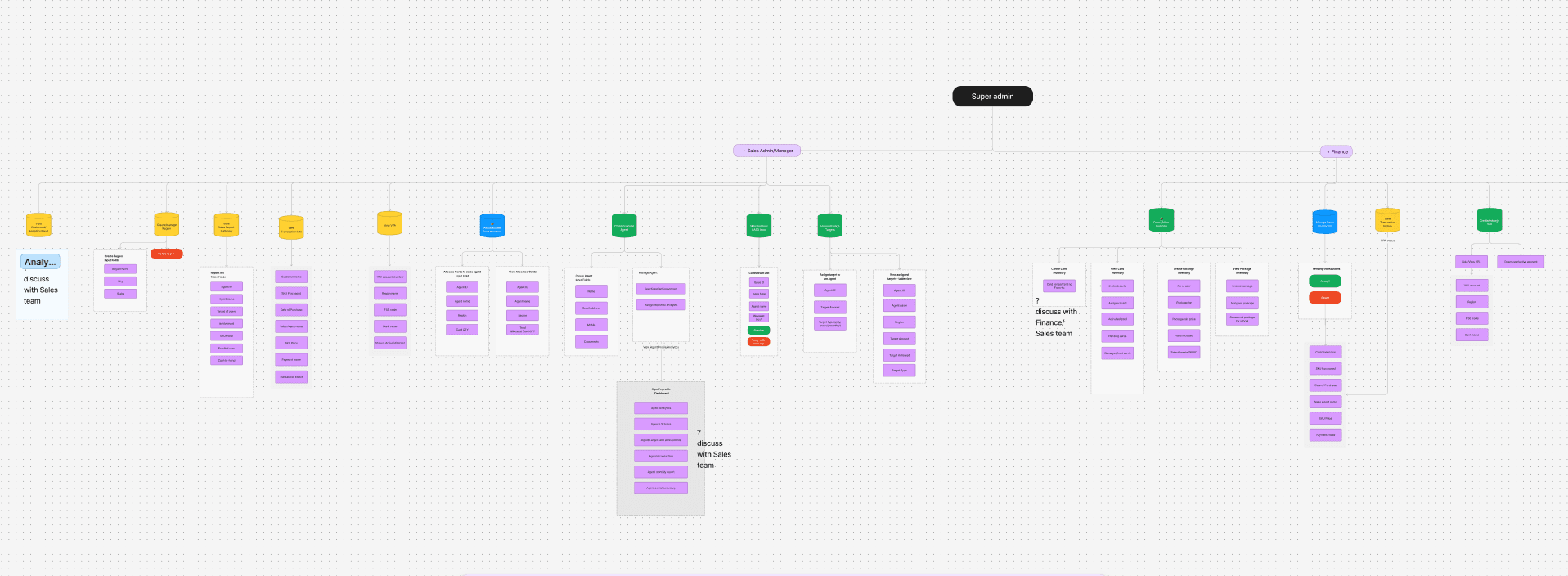
After understanding the system's data flow, the team entered an iteration phase, addressing the problem of excessive manual work and fragmented data by planning to merge all modules into a single system; this involved analyzing the current system, outlining a straightforward approach for new offerings, brainstorming module-level data flows, focusing on payment and inventory solutions, securing technical feasibility approval, and meticulously iterating on workflows for each module.
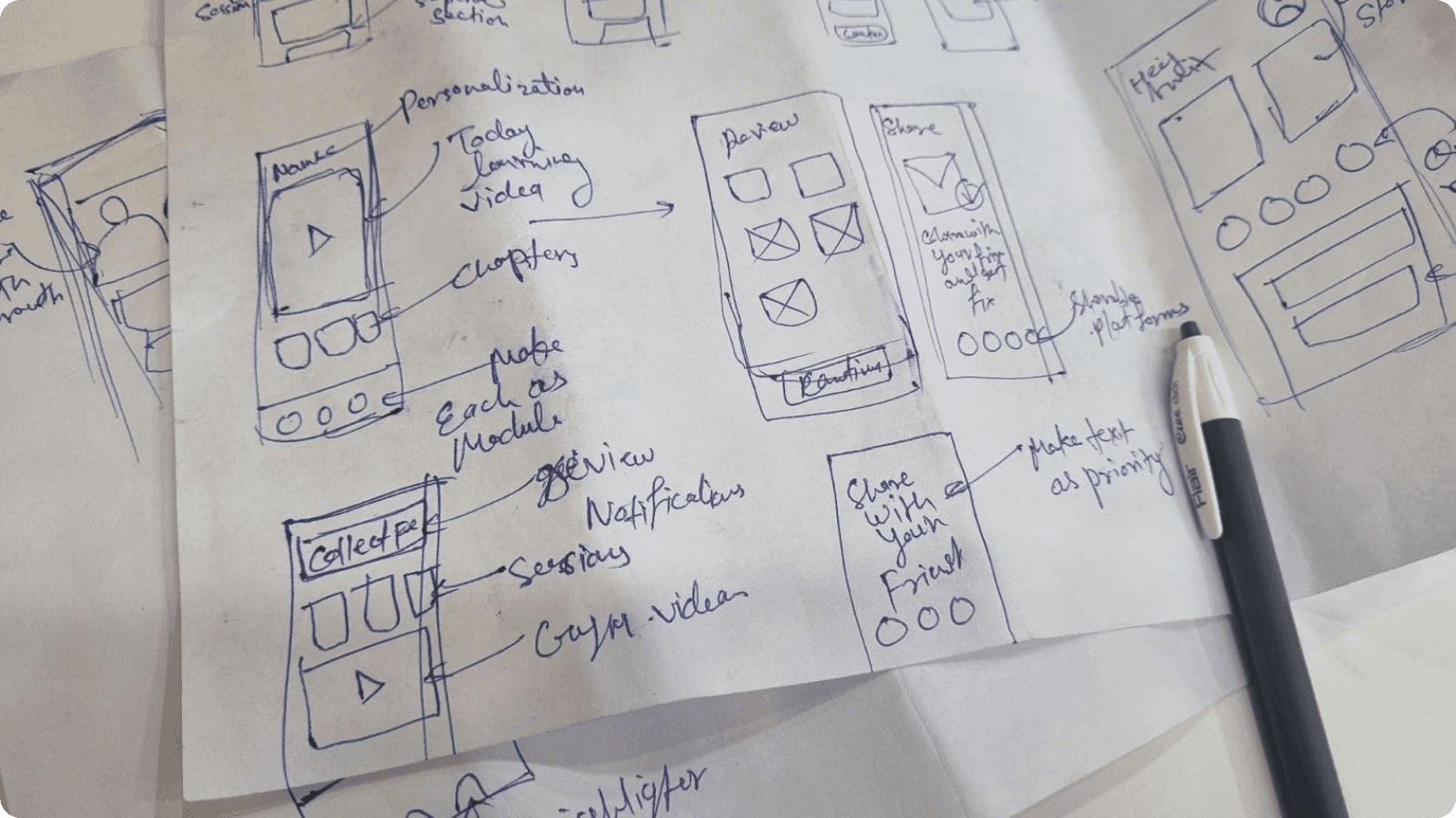
Once we get the green flag from tech, we assemble each modules and workflows we ideate on from adding person like EOR, Inventory management, Sales etc. After finalizing the structure we started to work on the low-fi wireframe. Here's a snapshot of how we iterated heavily on flows so we don't miss out on any variation.
Week 3 - Unleash Figma Warriors
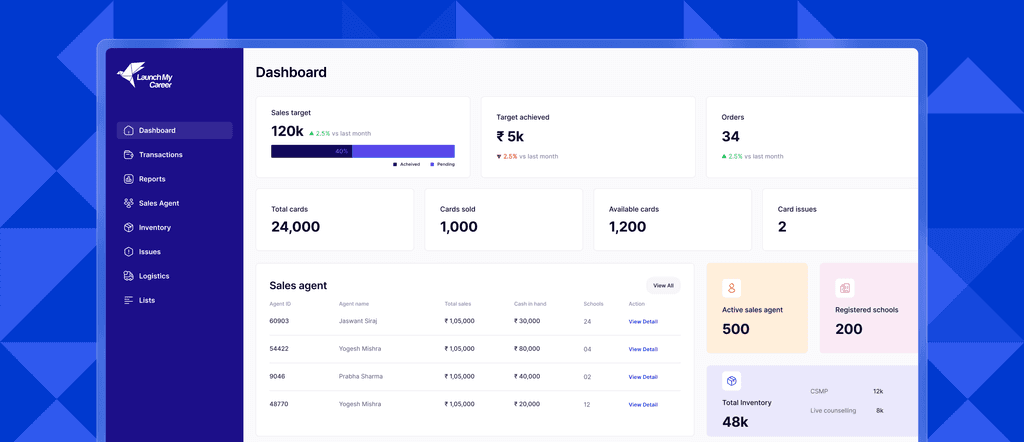
As we have the final Low-fi ready and Task flows was there, its time to gear-up and start the design part. We split up the work between the team. First, we designed the admin panels (the controls for the app), and then we designed the mobile app itself.
Redefining current style
Keeping it modern and meaningful
Why limit to only shipped products when internal teams can also enjoy a great design? Having a good design and experience not only reduce complexity in process also it help the user to finish the task smoothly.
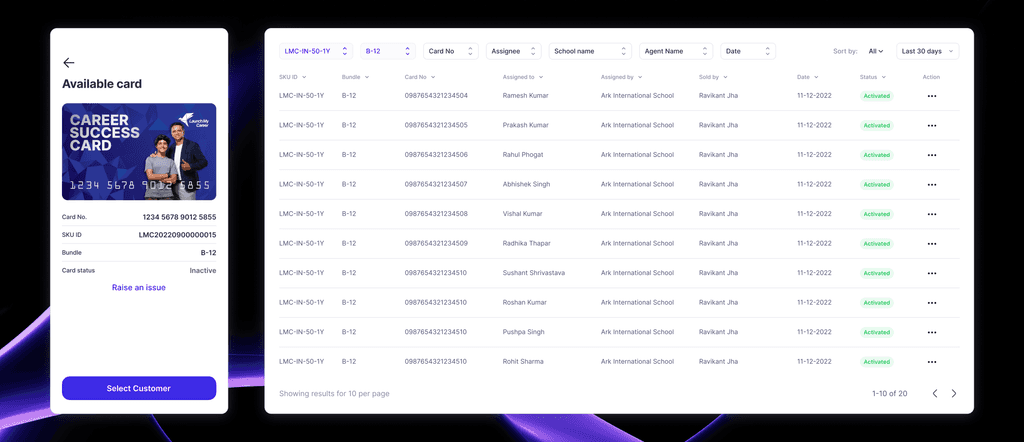
Setup, allocate and sync inventory
by syncing the user app to our internal system
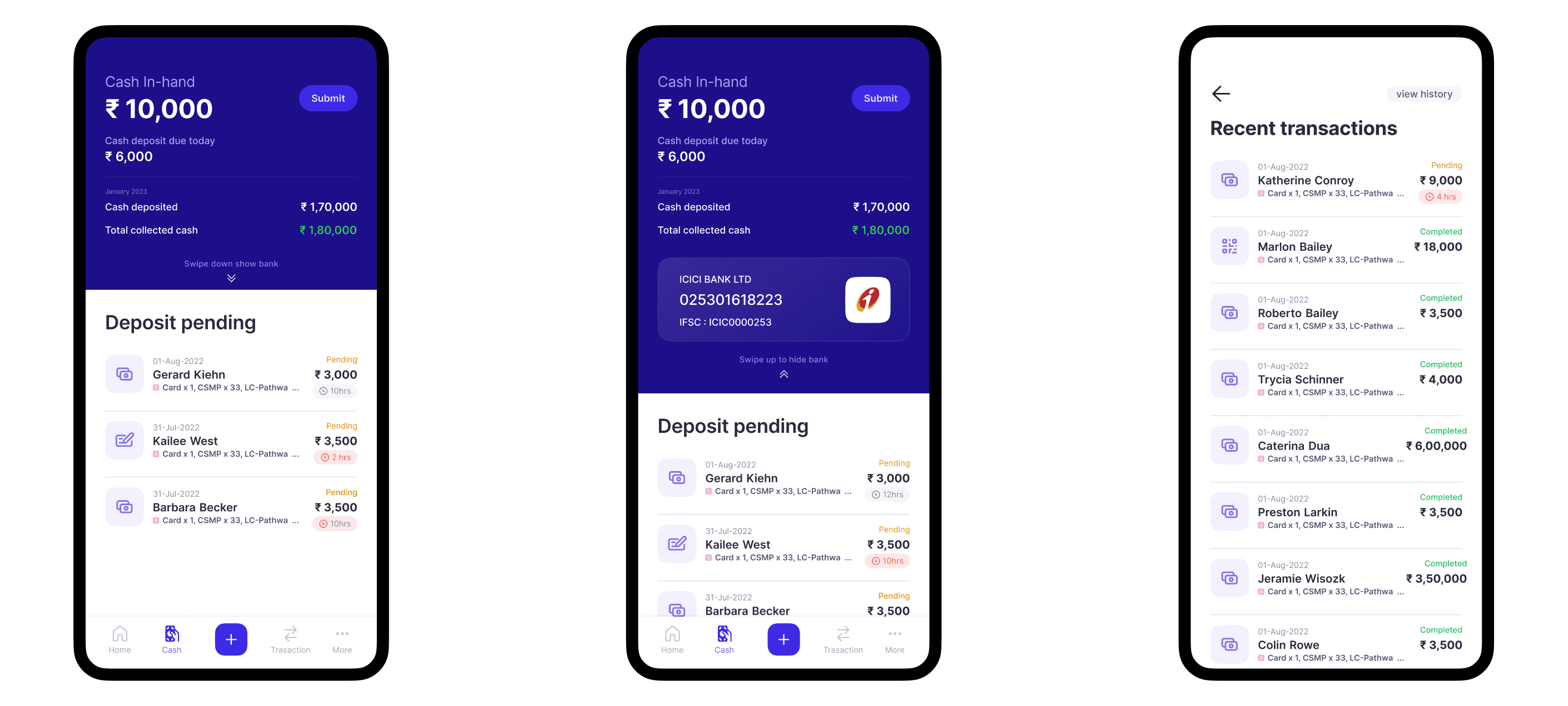
To optimize resource management, we introduced a seamless inventory setup and allocation feature. This enables teams to distribute stock efficiently, ensuring every member has the required resources at the right time. The system automatically tracks inventory movement and maintaining transparency across departments."
Validating transaction flow
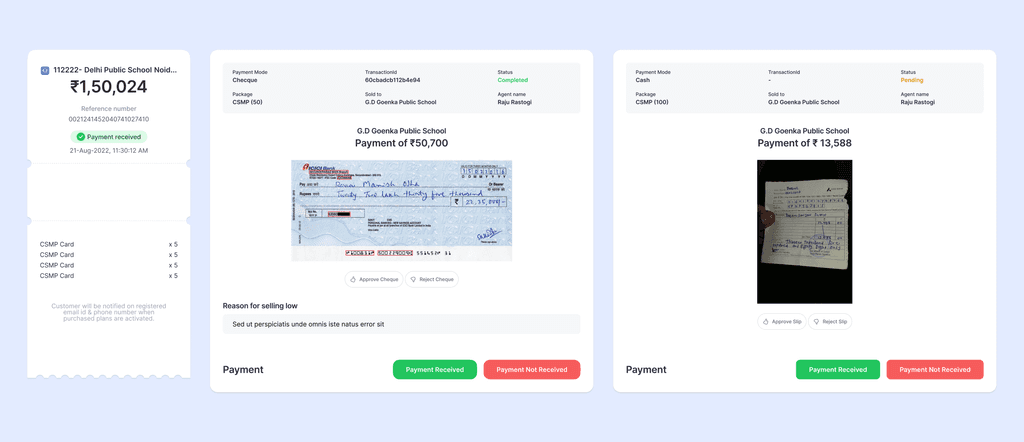
Locate online to cash payments in easy go.
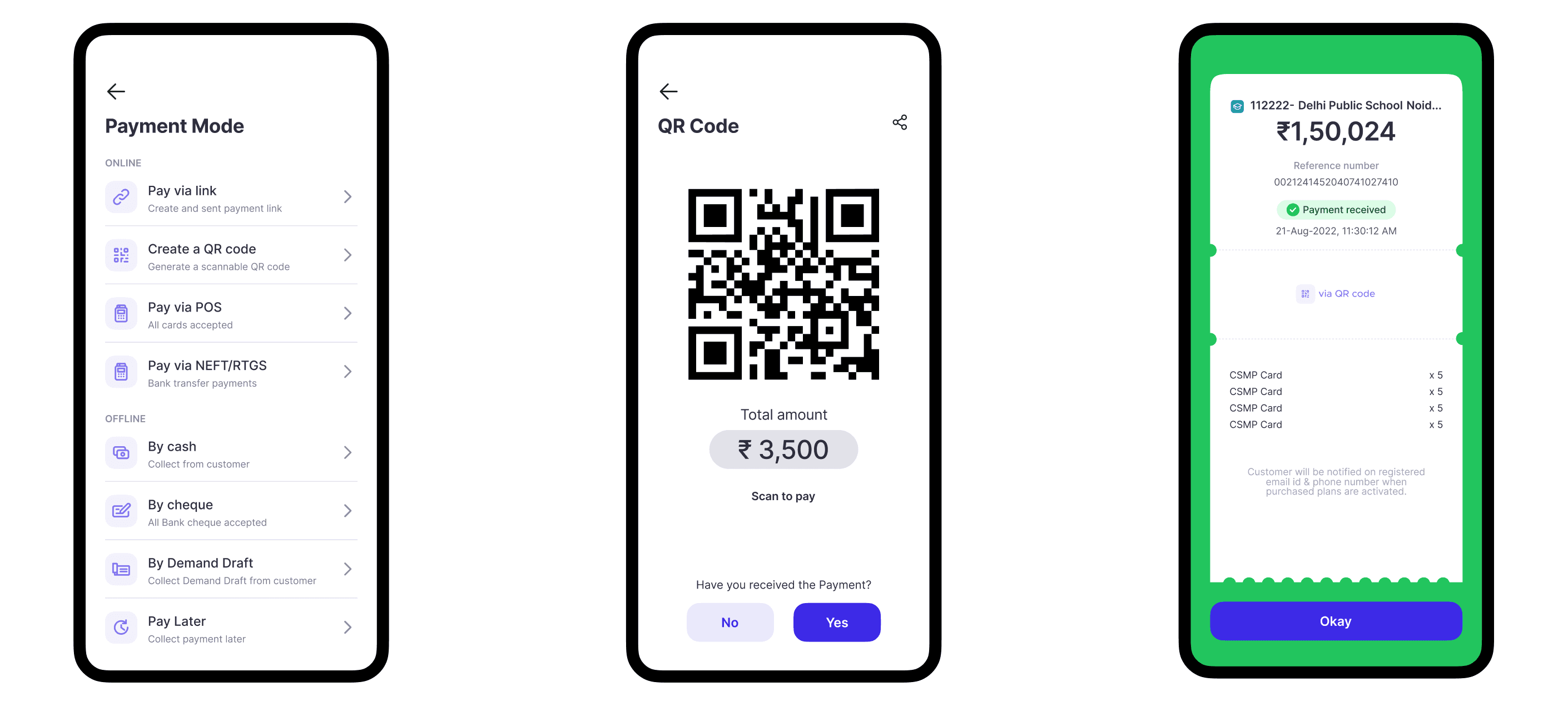
Ensuring payment accuracy is critical for financial transparency. Our system introduces a robust cash payment validation feature that verifies transactions using snap photos shared by team. This minimizes errors, enhances accountability, and streamlines the reconciliation process, reducing financial risks and improving overall transaction security.
Tracking inventory records
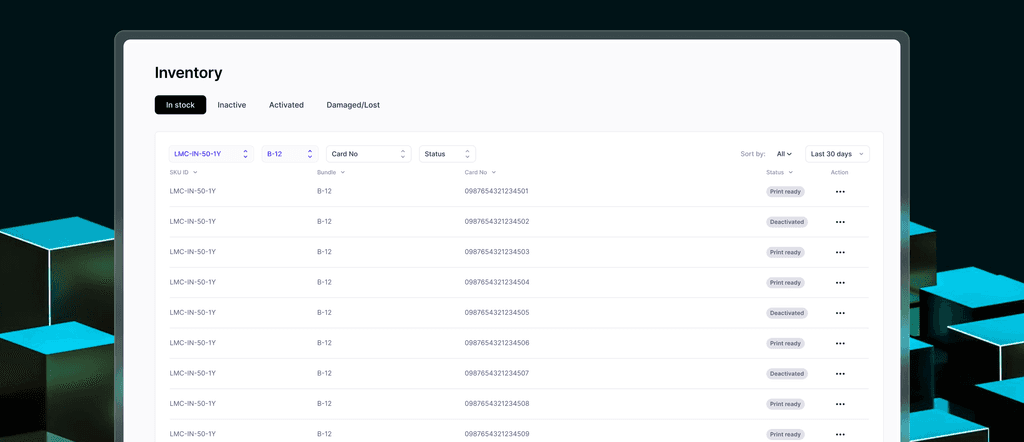
Easily create, find and locate resoueces
Managing inventory can be complex, but with our real-time tracking system, businesses gain complete visibility into stock levels. The feature provides instant updates on inventory changes, reducing discrepancies and ensuring accurate record-keeping.
Shipped mobile app for sales beast
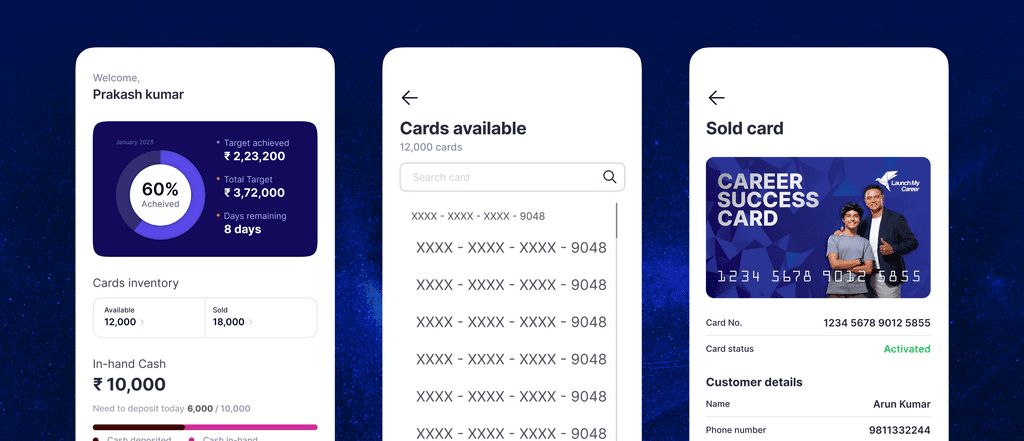
A fresh and modern look to keep the progress in-hand
Empowering our sales team with a fully functional mobile app was a significant achievement. We streamlined the deployment process to ensure rapid access and ongoing support.
Final Look
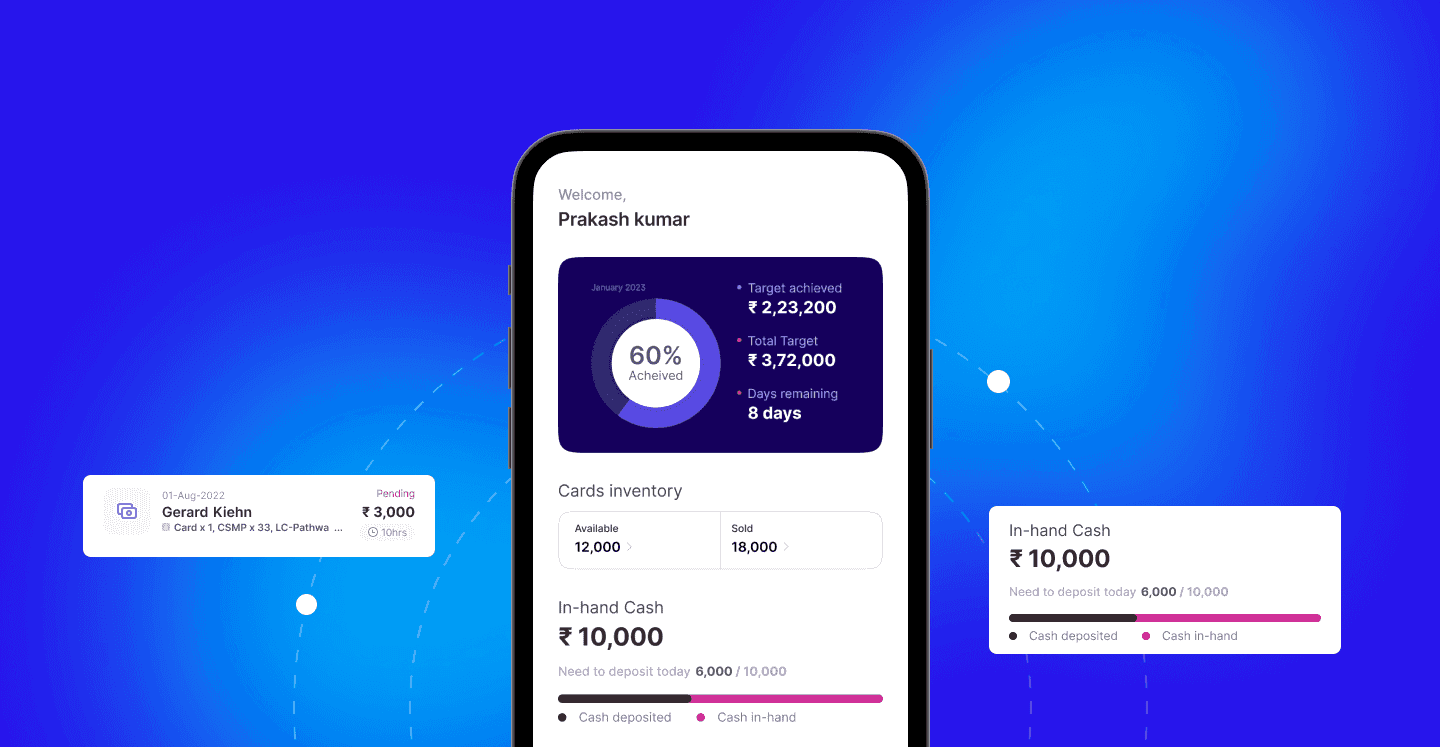
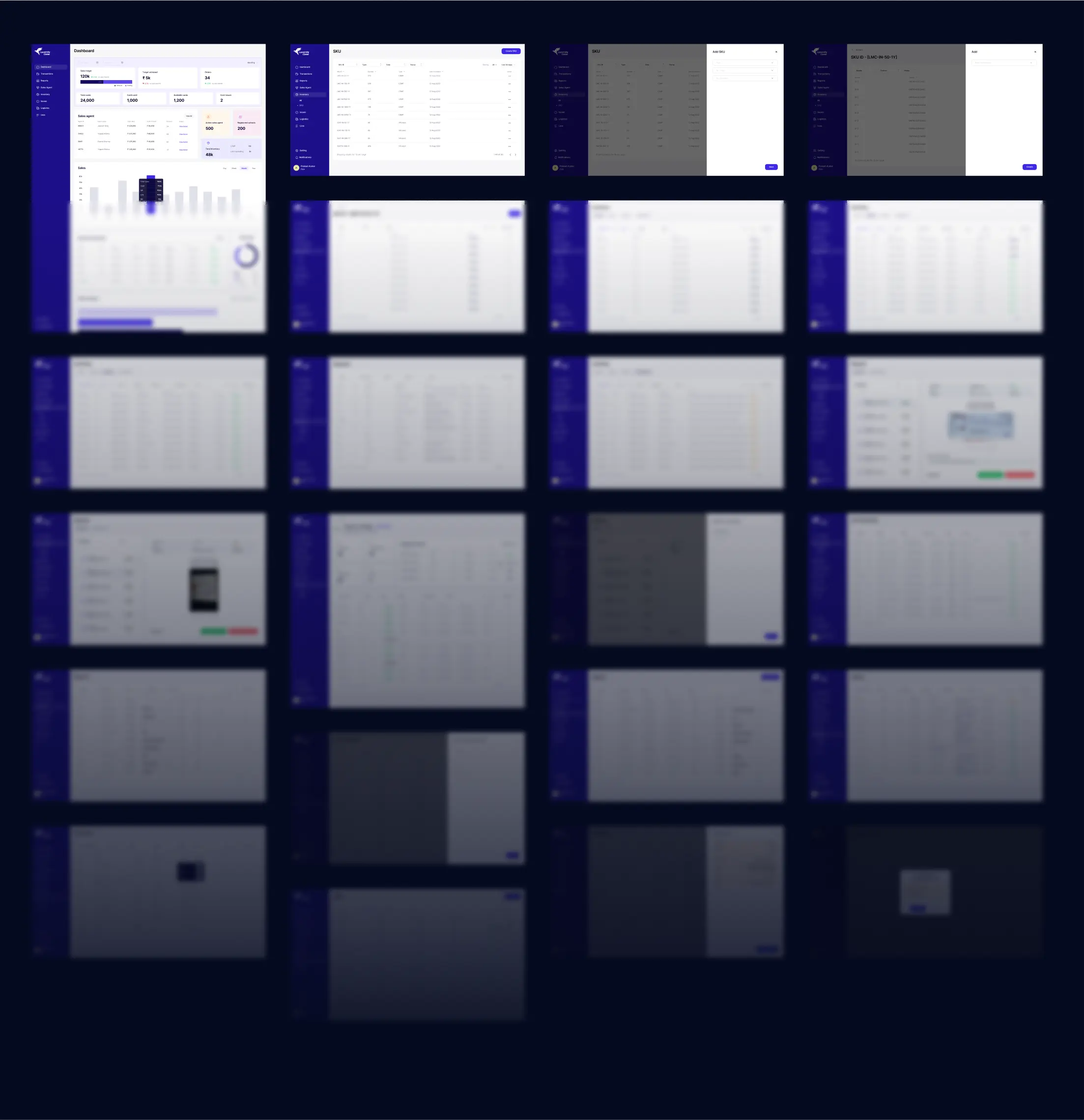
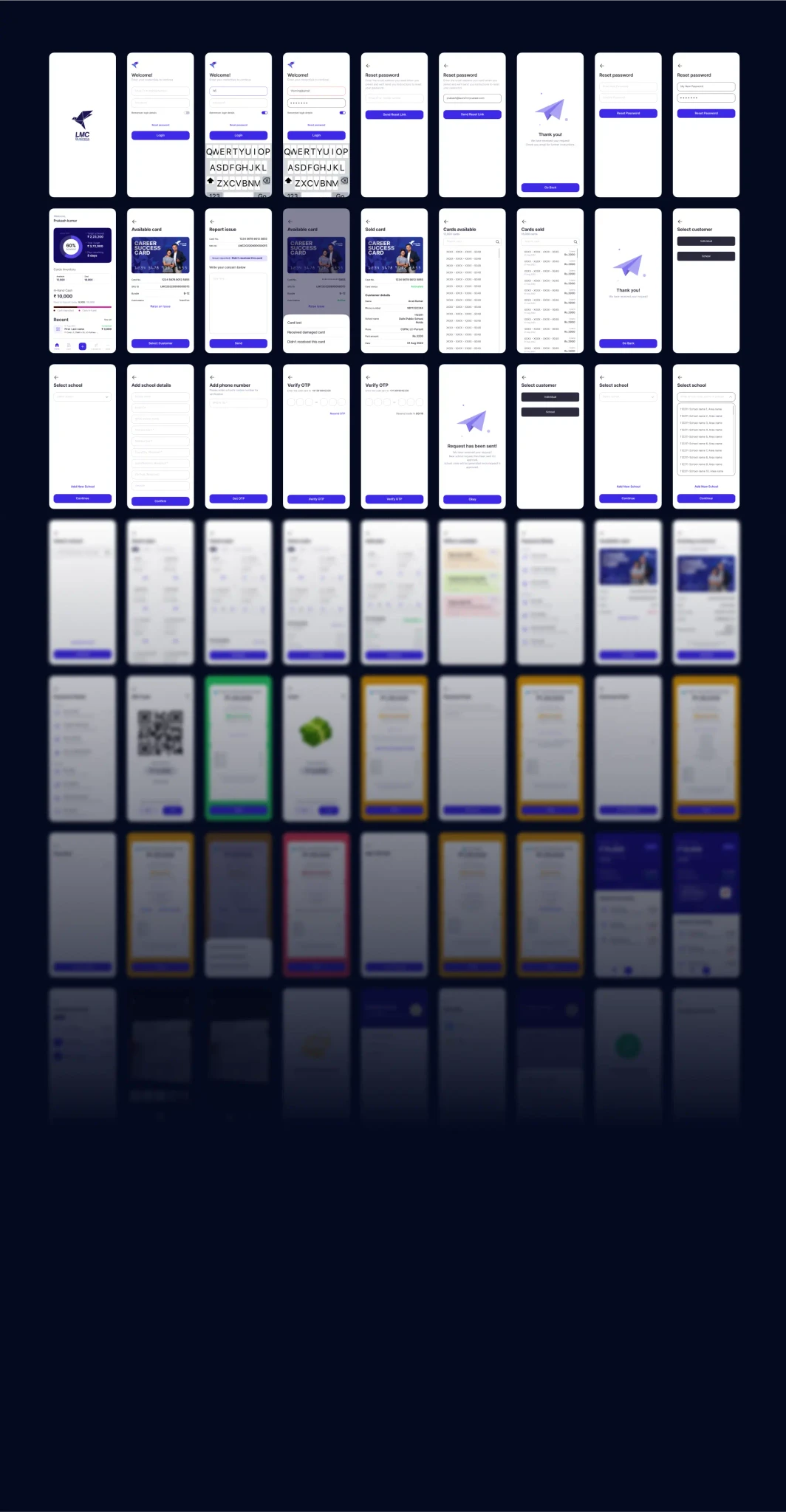
After lot of iteration and balancing the changes based on the technical feasibility we have work over 160+ screens including Admin side. Here is a zoomed out look of how the mobile screens are looking.
Funny Incident of Project (Can not help to share this Incident)
There was this funny moment when the engineers started using tons of SVGs for cards, and it was making the app super slow. They were worried about the API size. Turns out, they were using thousands of individual SVGs! I just told them to use one SVG template and change the values dynamically. Boom! API time went from two seconds to 40 milliseconds, and the app got way smaller. Problem solved!
Hmm! Want to know more?
This is just a quick go through about the project want o know more about the decision I made and How?

Check out more projects